


The tools you need to imagine plan analyse design collaborate share present

Bring teams and stakeholders together in a shared, collaborative workspace. 

Our integrated tools enhance workflows across initial ideation and planning, analysis, presentation and sharing.

VU.CITY Development Timeline of Consented Proposed and Completed Buildings

Models

The most accurate and detailed managed city models in the UK&I. Over 3,500km² of coverage.

See more →

VU.CITY Presenter Tool

Tools

Integrated planning, analysis and presentation tools, all in one collaborative platform.

See more ↓

VU.CITY 3D Data Layers

Data

Powerful GIS, BIM and spatial data workflows, with a public library out of the box.

See more →

Create, analyse and present. All in one platform.

Tools_ Draw and annotate

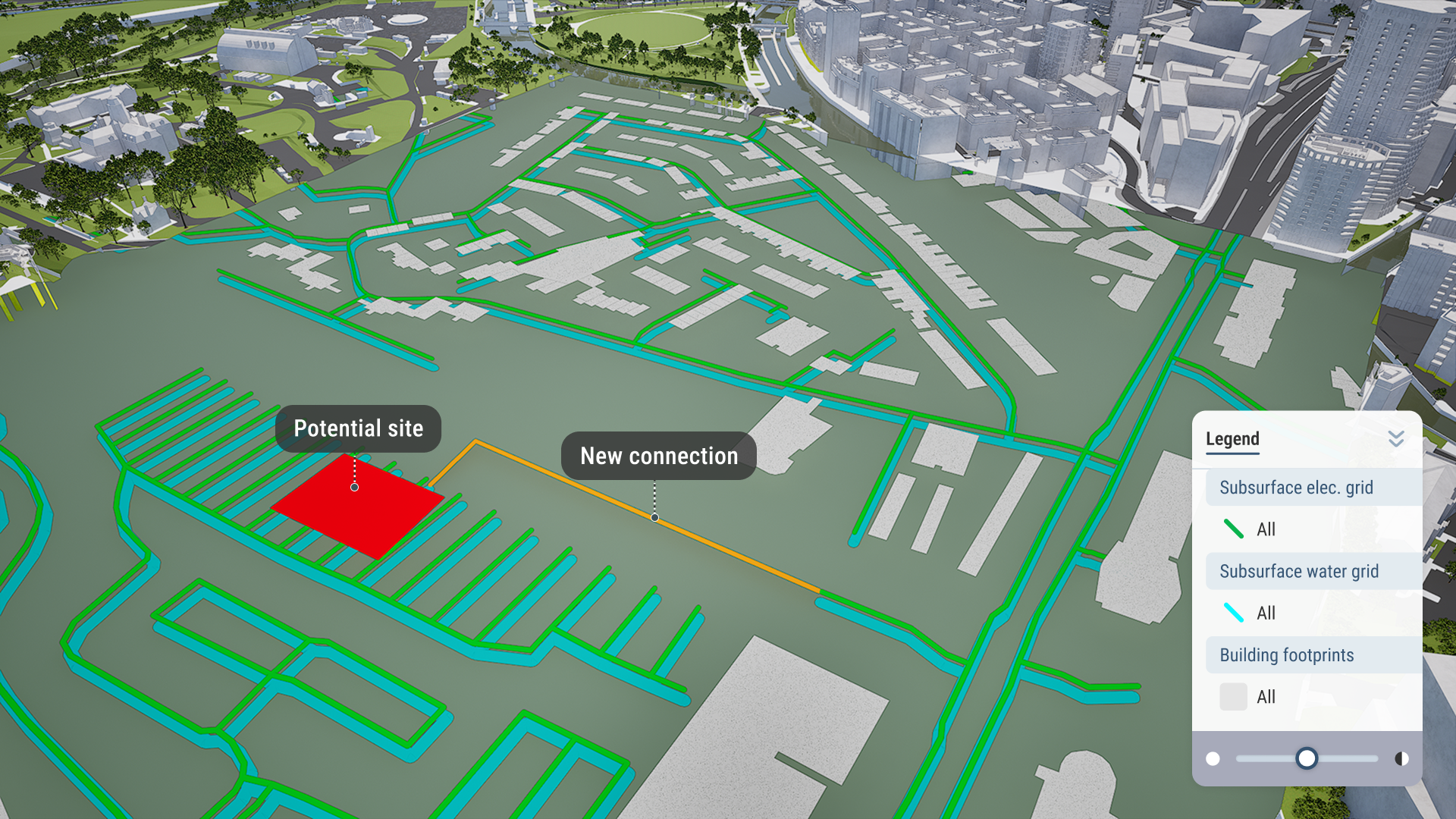
Draw, edit and iterate on the canvas

Create ideas and plans with drawn points, lines and areas. Annotate and mark up features. Customise the canvas to your needs.

Import your own models and objects

Add buildings, infrastructure, assets and other objects to your city model. Bring BIM models into VU.CITY and see your designs in context.

Organise and present using Scenes

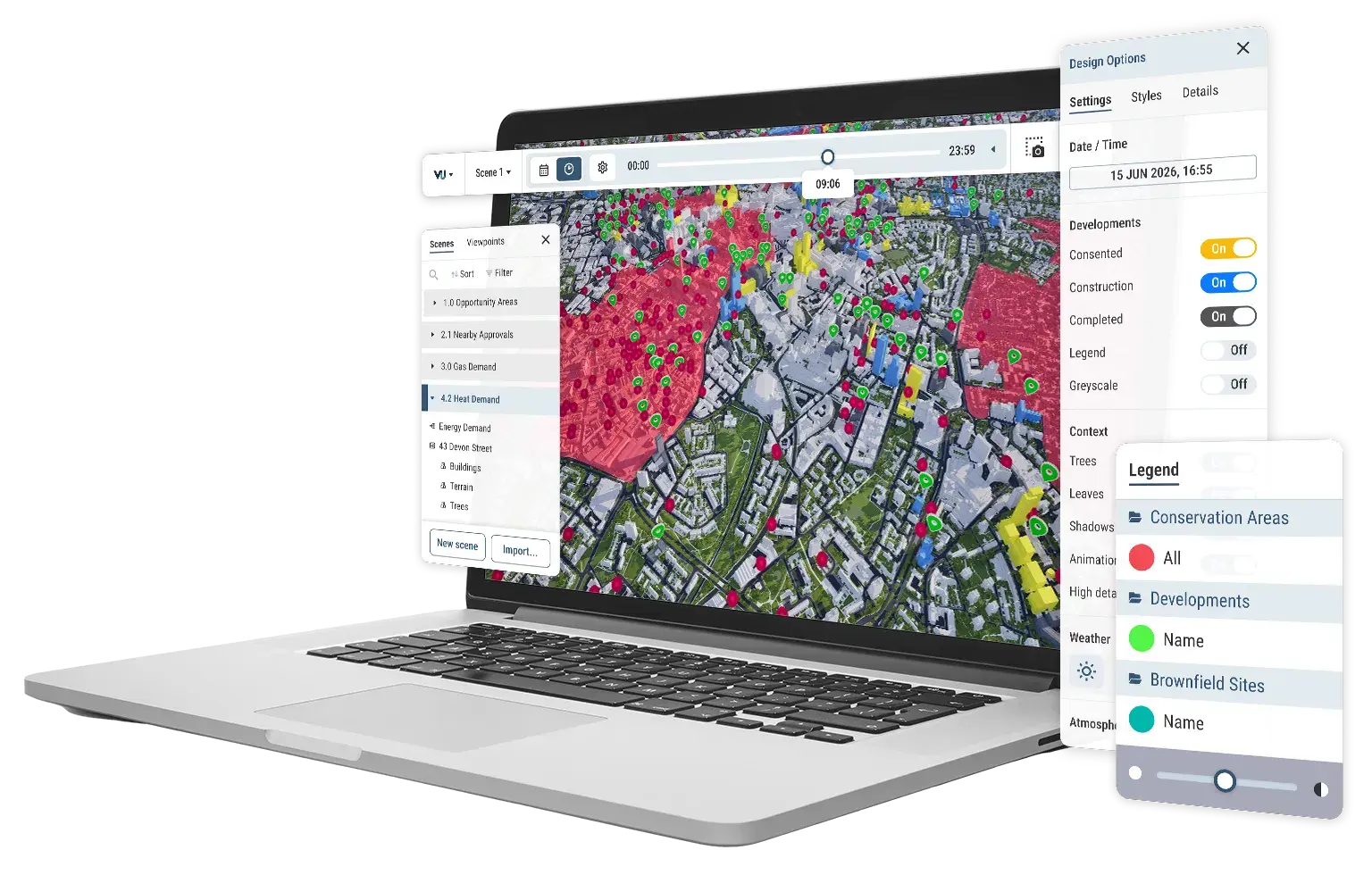
Think of Scenes as immersive 3D slides or pages. Create options, comparisons or chapters of your project in one workspace, then present or share with anyone.
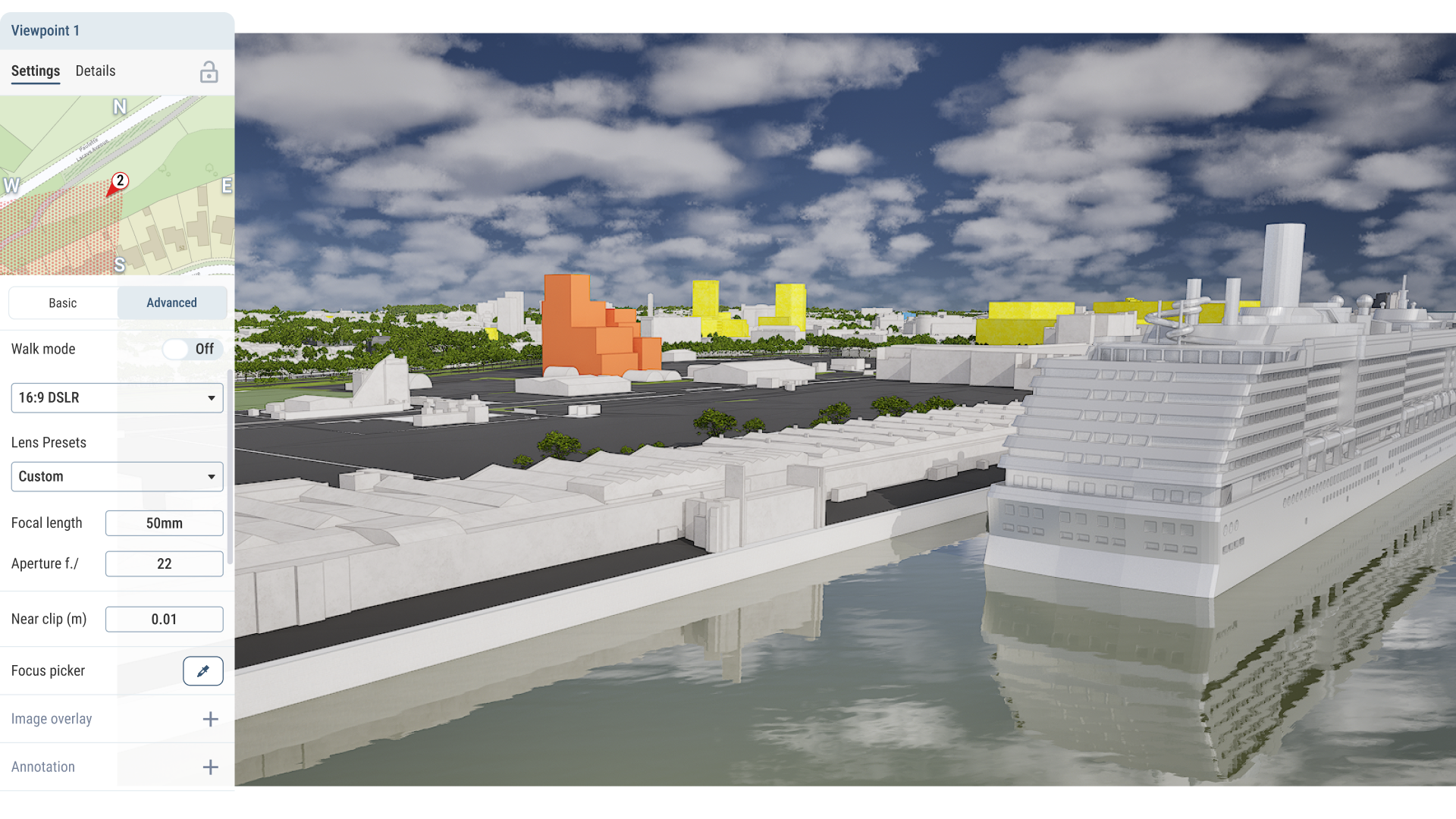
Tools - viewpoints

Export imagery with advanced camera settings

Using our viewpoints tool you can drop cameras into the canvas, then move through them to create a seamless tour. You can also export images in up to 8K resolution.
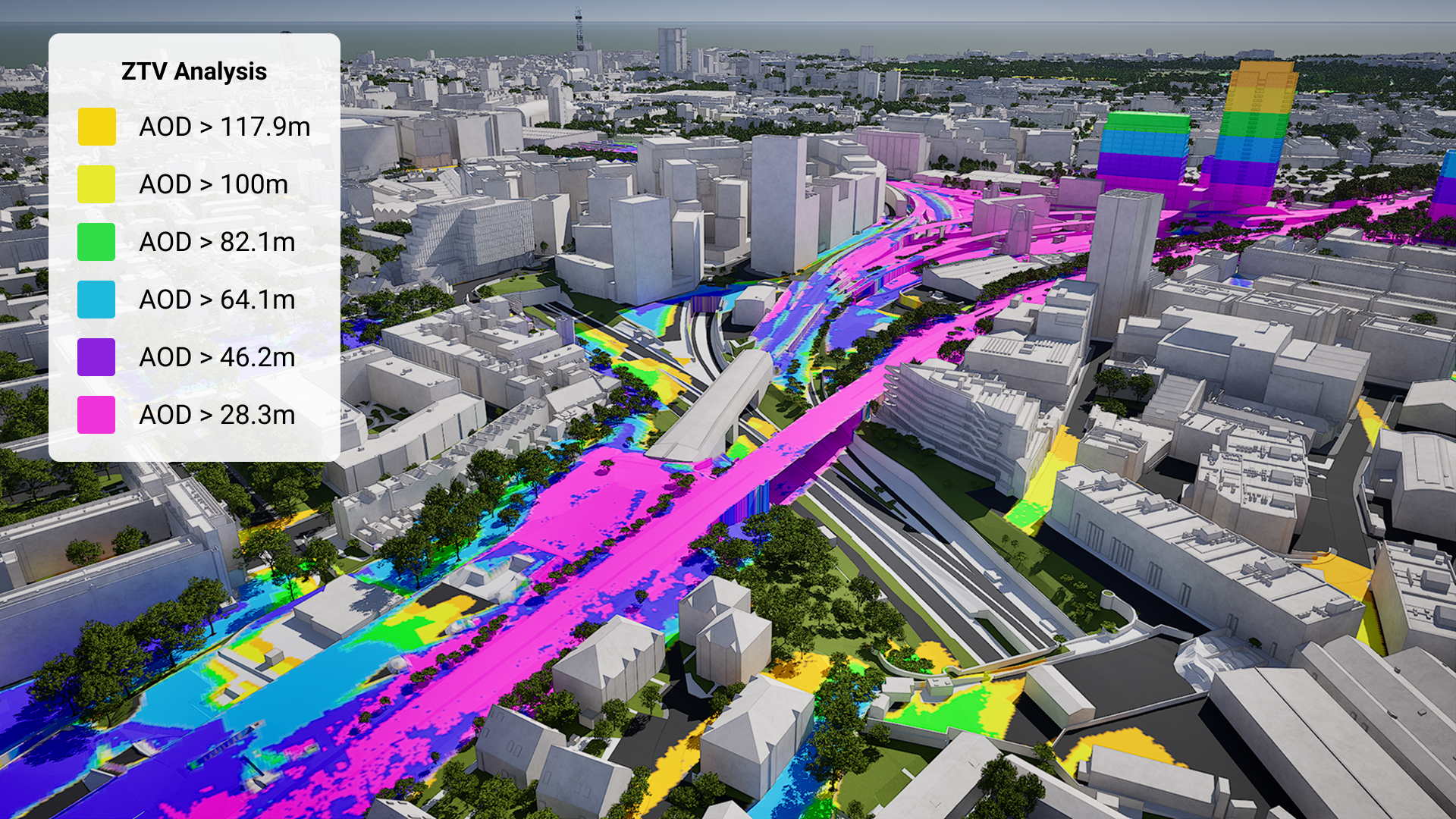
Zones of Theoretical Visibility (ZTV)

Our ZTV tool allows you to select an object, then instantly run analysis to find out where that object can be seen in surrounding context. 

Quickly measure visibility for buildings, outdoor advertising units, infrastructure or any object.

With 4D buildings data, check the visibility of your asset in future context.

VU.CITY ZTV Analysis

Plus much more capability...

File and asset management in VU.CITY icon

Enhanced asset management

Our file storage and sharing system is flexible and seamless. Organise and share your assets and projects with confidence, internally and externally.
Multiple users collaborating on projects in VU.CITY icon

Designed for collaboration

Work together in real-time, leave comments and share projects with other contributors and teams in the same shared workspace.
eye-spark 1

Visual quality, as standard

Create, edit, plan and present in a hyper-realistic 3D environment with daylight, reflections, atmospherics and materials that bring the world to life.

VU.CITY on a laptop showing scene manager, consented timeline, point and area data