

Section 1: The basics
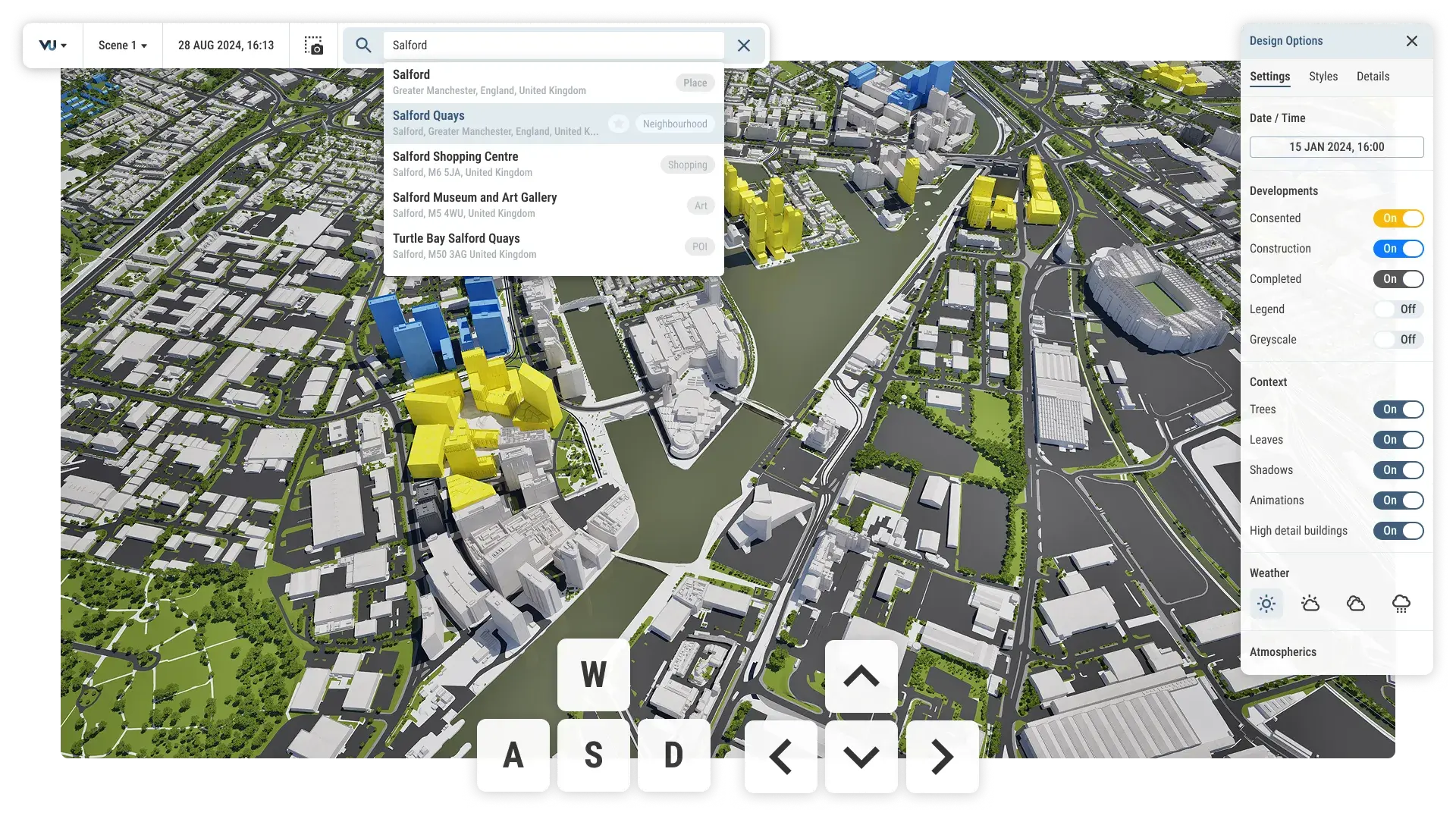
Model navigation
Move around the model seamlessly with responsive, fluid control.
Explore any site, area or building using mouse and/or keyboard. Make precise movements to get the perfect view for your work.
Upgraded functionality
Built on Unreal Engine, our models and environments are more visually stunning and immersive. Movement is noticeably faster and more responsive.
The hub
Store, organise and share your files with flexible folders and permissions.
Create and manage projects the way you want. With granular permission sets, share files and assets with confidence.
Upgraded functionality
Files and assets can now be shared securely with internal and external stakeholders, with a granular permissions system giving you more control over access.
Import, combine and overlay data from any source for instant insights. Not an expert? Not a problem. Our platform will smartly recognise, display and filter data for you.
From consultant studies to private property data, infrastructure networks and third-party analysis. All in one place.
Our public library of data offers a wealth of insights into demographics, climate, building information and much more.
Scenes
Think of Scenes like slides in a presentation. Set up multiple scenes, each with its own visual style, date, time, environment and specific assets.
Iterate, ideate and compare plans and designs - whether you're working through options yourself or presenting them to stakeholders.
Upgraded functionality
Scenes are brand new to VU.CITY. Works alongside Viewpoints (which replaces the old camera studies tool) to give you a comprehensive toolkit for iteration, comparison and presentation.
Timeline
Your 4D toolkit. Explore time of day, time of year, weather and consented development dates on the model.
See your site and its surroundings at any moment: Past, present or future.
Upgraded functionality
Everything on the canvas, including your uploaded models and data sets, can now be timestamped. Sun paths and shadows fully embedded.
BIM and custom model import
Import detailed buildings and interiors, including furniture, geolocated in place.
Show buildings in full context and detail, right down to the desks and people, without separate visualisation software.
Upgraded functionality
Support for heavier, more detailed models, including BIM, which includes detailed materials, textured facades and interior layouts.
Section 2: Visualise and analyse data
Viewpoints
Build a collection of viewpoints across multiple scenes. Choose from a variety of advanced capture settings. Export in bulk.
Generate content faster and more easily, use one setup to cover a wide range of scenarios.
Upgraded functionality
Viewpoints replaces our camera studies tool. Used alongside Scenes, you can capture multiple shots across a wide range of scenarios from a single viewpoint set up, with advanced settings such as lens presets, sensor presets and orthographic projection.
Custom data
Import your own point, line, area, mesh and raster datasets. Then style, filter and sort the data to tell your story.
Bring your own intelligence into the model. Layer multiple data sets to glean insight and showcase your findings.
Upgraded functionality
Custom spatial data is new to VU.CITY. You can now upload and visualise your own, third party and consultant data in a few clicks. Combined with our public library, you can now create a data-rich canvas.
2D drawing
Draw points, lines and areas on the canvas to plot, plan, measure and annotate.
Whether its planning or presentation, edit, style and customise the canvas your way.
Upgraded functionality
Drawing on the canvas has been completely refreshed and is easier than ever. Draw along locked planes, add metadata, customise styles and stick annotations to any element.
Public data library
Access a wealth of public data across multiple categories. Customise styles and apply custom filters to find the information you need.
Our public library will continue to grow, all available to you instantly inside VU.CITY.
Upgraded functionality
Using public data is now more flexible and powerful. Apply your own filters and styles to create unique insights and outputs.
Mesh data
Import and visualise your own 3D mesh data with attributes, filtering and custom styling.
Combine time series attributes to show phases and trends, or highlight specific elements using styles.
Upgraded functionality
Mesh data is new to VU.CITY, giving you the ability to show 3D data in the most accurate context, for the first time.
Time-series data
Bring time into the equation with 4D data visualisation. Analyse the past, present and future in the most accurate surrounding context avaliable.
Import data with time series attributes and seamlessly embed it onto our 4D model.
Upgraded functionality
Time-series is now a supported data type in the VU.CITY. Analyse the whole picture, across time, instead of multiple one-off snapshots.